You can say what you want about Lotus Notes, if you have used it for a while and switched e.g. to Outlook, you’ll find yourself missing one or the other nifty Notes function.
Already two of my customers “forced” me to use MS Outlook 2003 and since this isn’t likely to change in the near future, I implemented two of these handy Notes functions for Outlook 2003:
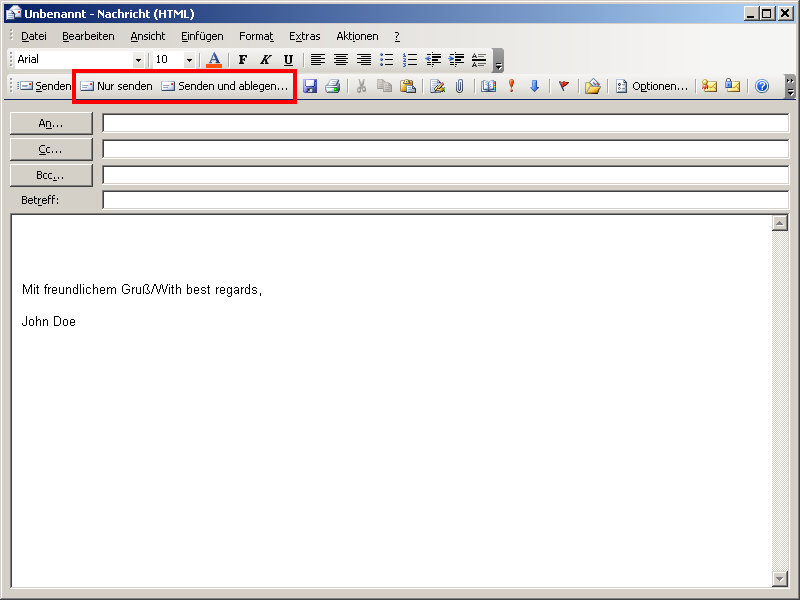
- The button [Send only] sends e-mails without storing a copy of it in the local mailbox.
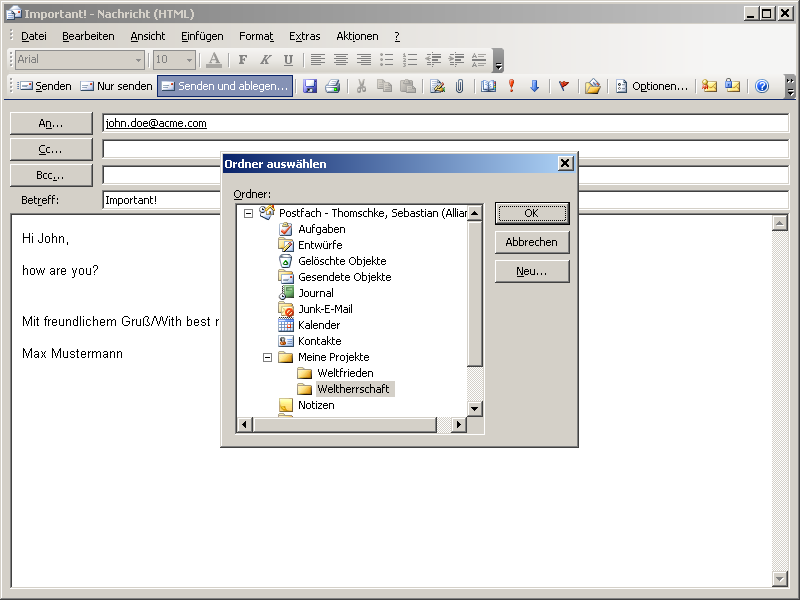
- The button [Send and File…] prompts you for the folder where to store the e-mail being send.
Installation:
- Download the Visual Basic module in the favored language.
 Send Mail Macros for MS Outlook 2003 (EN) (4.9 KiB, 5,806 hits) Send Mail Macros for MS Outlook 2003 (DE) (5.1 KiB, 4,057 hits)
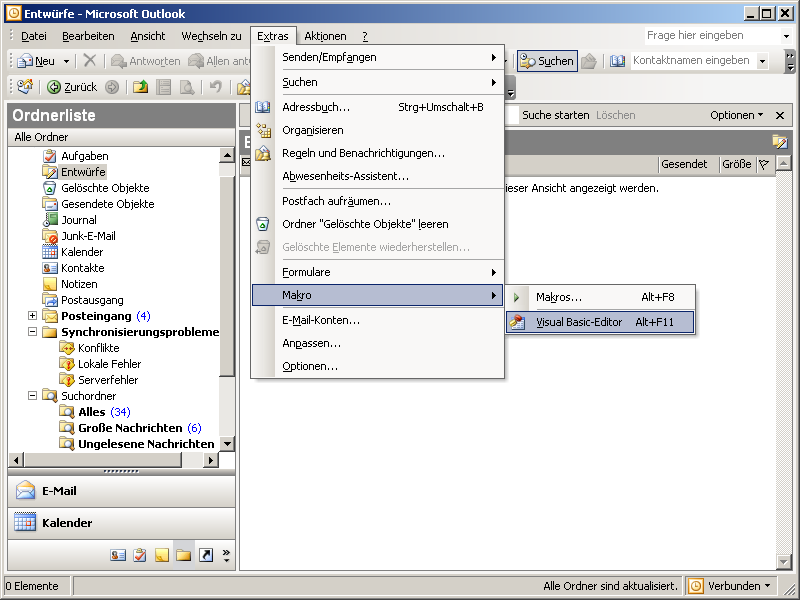
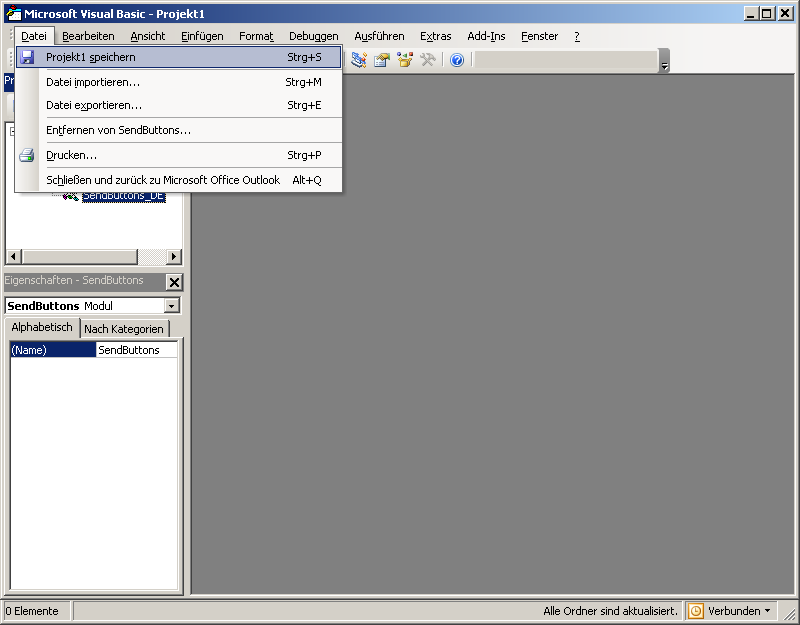
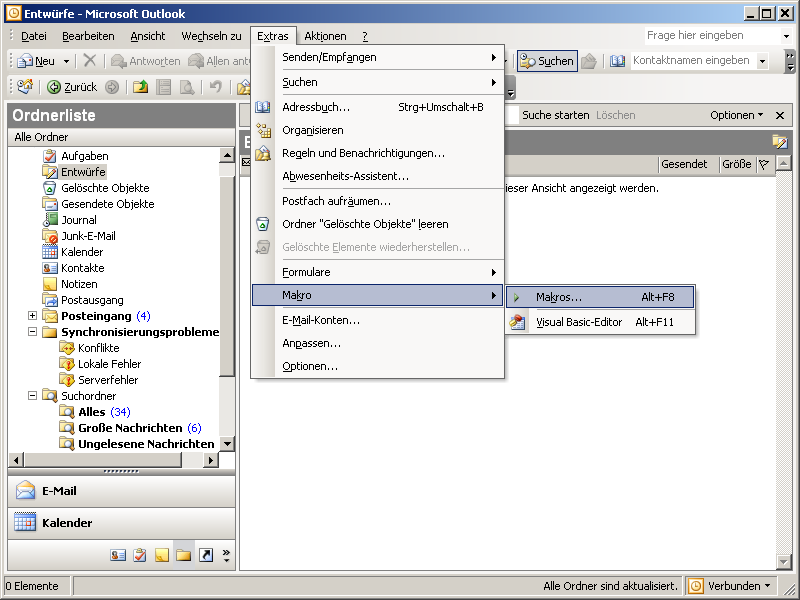
- In Outlook open the Visual Basic editor.
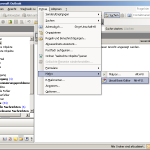
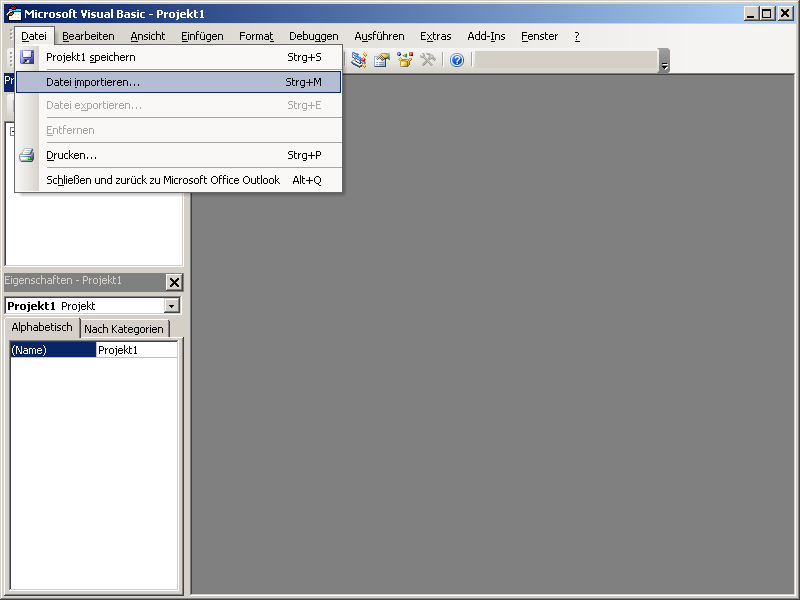
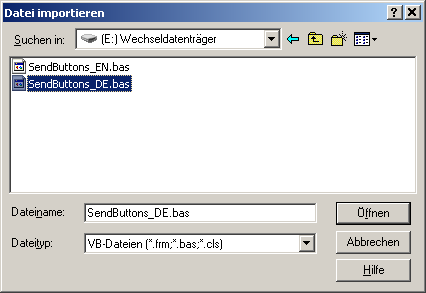
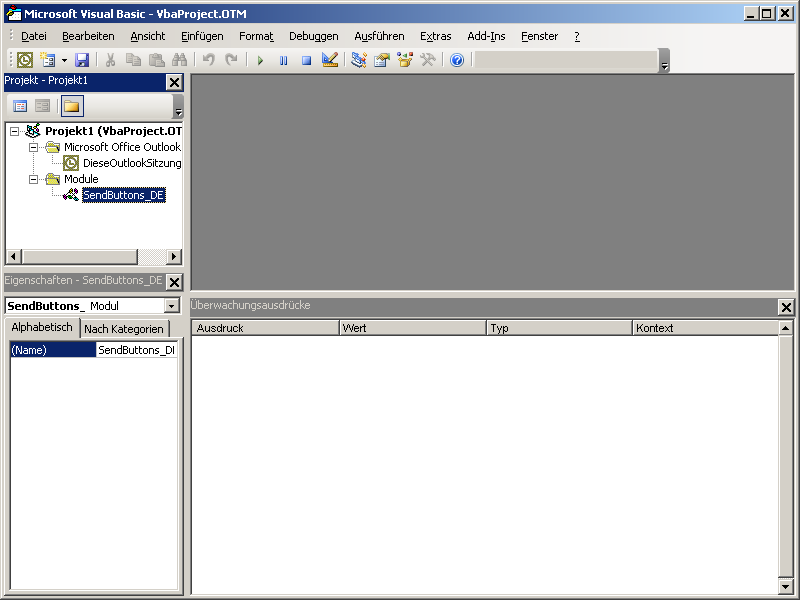
- Import the Visual Basic module.
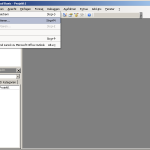
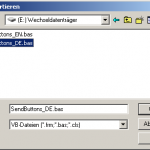
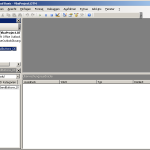
- Save the project.
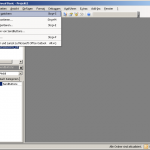
- Install the buttons in the toolbar.
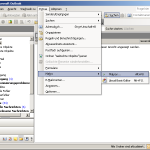
![Installing the button [Send and File...]](//sebthom.de/wp-content/uploads/2009/02/07_marco_select_install_sendandfile-150x150.png "Installing the button [Send and File...]")
![Button [Send and File...] installed](//sebthom.de/wp-content/uploads/2009/02/08_msg_sendandfile_installed-150x120.png "Button [Send and File...] installed")
![Installing the button [Send only]](//sebthom.de/wp-content/uploads/2009/02/09_marco_select_install_sendonly-150x150.png "Installing the button [Send only]")
![Button [Send only] installed](//sebthom.de/wp-content/uploads/2009/02/10_msg_sendonly_installed-150x120.png "Button [Send only] installed")
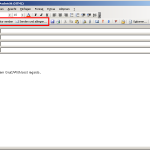
- When composing a new e-mail the additional buttons should appear in the toolbar.
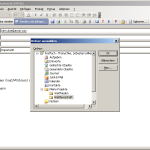
- When clicking “Send and File…” the folder dialog is displayed before the e-mail is send.

![Installing the button [Send and File...]](http://sebthom.de/wp-content/uploads/2009/02/07_marco_select_install_sendandfile.png "Installing the button [Send and File...]")
![Button [Send and File...] installed](http://sebthom.de/wp-content/uploads/2009/02/08_msg_sendandfile_installed.png "Button [Send and File...] installed")
![Installing the button [Send only]](http://sebthom.de/wp-content/uploads/2009/02/09_marco_select_install_sendonly.png "Installing the button [Send only]")
![Button [Send only] installed](http://sebthom.de/wp-content/uploads/2009/02/10_msg_sendonly_installed.png "Button [Send only] installed")
Greetings.
Trying to implement the “Send Only” and “Send & File” buttons in Outlook 2016 and getting a Syntax Error, running the macro’s.
My preferred option provided the macro’s would work, would be to have these options included in a new group (custom) in the Ribbon vs. the Quick Access Toolbar and running macro’s from the ribbon is possible.
In Lotus Notes, the first option when using Send & File, was the retention period for the sent mail, then the selection of the folder where it would be stored.
Sad to see that Outlook do not even provide such basic options.
Thanks & regards.
Hi Sebastian,
ich bin auch LotusNotes-Liebhaber und unsere Firma ist in gezwungenermaßen auf MS Outlook 2010 umgestiegen. Nun vermisse ich bei Outlook 2010 zwei wesentliche Funktionen.
1.) Senden und Ablegen
2.) Alle Dokumente auf einer Datei
Mir geht es aber hier um “Senden und Ablegen” Funktion, wie gewohnt zu nutzen. Da ich kein Entwockler bin und nur Nutzer, konnte ich deinen Script downloaden und durch Visual Basic Editor in Macro speichern. Er zeigt einige Fehler und uch kann die Funktion nicht so verwenden?
Kann es bei unterschoedlichen Versionen von Outlook liegen? Was könnzest du mir empfehlen um diese Funktion irgendwie nutzen zu können.
Vielen Dank.
Hi,
As I only ever want to “Send and File”, in Outlook 2010, I have added the following to the VBA Project “ThisOutlookSession” Application code:
Private Sub Application_ItemSend(ByVal Item As Object, Cancel As Boolean)
SendButtons_EN.SendAndFile
End Sub
This has the effect of invoking the Send and File macro every time I click on the inbuilt Outlook Send button on a new mail or reply.
Hi.
Got it to work in Outlook 2010.. finally after following Karen’s comments.
Thanks for the Re UP Sebastian.
This all worked beautifully in outlook 2007, but I can get it to work for my mail box, but when I want to send and file to a share mailbox it doesn’t work in 2010.
Any suggestions?
Thanks.
The download should work again. Thanks for the hint.
Hi.
Can you re-up the vb modules please, I can’t seem to download.
Also, I did this on outlook 2007 and got the sand and file button on the Add In. I just got upgraded to outlook 2010, I can put the module in and it says the button is installed, but I can’t find it on the Add-in tab. I when and added the vb button to another tab but all it did was install the button. I cut and paste the code and put it in the vb editor.
I can’t even remember how I got the code last time, or why I didn’t download the vb module.
Please help.
Thanks! You saved my life with this elegant code! I had an add-in for Outlook that did the same thing, and loved it. Somehow, I had failed to backup the original add-in installer, and when I migrated to a new computer I lost it. You saved me hours of coding–I’m not much of a VB person.
Wish you had included some code to just file an email from the inbox by clicking a toolbar button, but I guess you can’t have everything. 😉
Thanks again! M
Thanks. This is great and works in Outlook 2007.
Thanks alot!!! Works great!
I missed that feature sadly since my company switched to Outlook!
I haven’t installed this yet, but likely will. I find it hard to believe that every mail system doesn’t have this. It is basic: you want your sent mail in the folder with the received mail on that subject. In my case it is mostly to keep communication with customers together. Problem is that I REALLY don’t want to keep using Outlook, even with this new function. (Using Lotus Notes client stand alone right now, but the newer releases seem buggy to me).
Thanks!
Awesome! Works nicely in Outlook 2007.
To get it on the Quick Access Toolbar for a one click solution, Open Visual Basic Editor in Outlook and create a macro immediately under Sebastian’s existing code:
~~~~~~~~~~~~~
Public Sub SaveAndFile_Run()
SendandFile
End Sub
~~~~~~~~~~~~~~~
Then customize the quick access toolbar, choose commands from Macros and add the SendAndFile_run macro. Modify to an icon and text of your choice and it’s all good!
Thanks Sebastian for a really useful piece of code!
Problem solved, my mistake. If you follow the detailed instructions then it works perfectly.
Thanks once more.
Thanks for the Macros, i just downloaded the german .bas and installed it successfully.
The “Senden und ablegen” Button works, but on the “Nur Senden” Button prompts for a place to store the file like the “Senden und ablegen” Button.
I am using Outlook 2003 SP3 german.
At which step do you get confused?
I followed the above post but cant figure out how to install the buttons in the toolbar. Feel a little foolish sorry
Hi Sebastian,
Thanks for this piece of work! Works fine in Outlook 2007, just that Outlook put the buttons under the Add-ons Ribbon, so you need 2 clicks to get to it when sending. No big deal – it’s *far* superior to dragging your message from Sent Items to the folder of choice.
I might look into associating a keyboard shortcut with it at some point.
Thanks a million!
Sandra
Dear Sebastian,
I am using this macro and it’s very helpful for me. But I am missing one feature.
When I click on one of these buttons the the spell check is missing even it it is enabled in the options of Outlook.
How can this be turned on?
Regards
Dirk
Hi Lorance,
my customers did not yet migrate to Outlook 2007. Thus I didn’t have an opportunity to test the code on the new version.
Regards,
Seb
do you have a updated version for outlook 2007.
Thanks a lot
Lorance
Hi John,
I think the problem is that the “sent” folder is a folder in Outlook whereas it is a view in Lotus Notes. So if the button should also make the e-mail available in the sent folder it would have to make a copy of the e-mail and place it there. Instead I’d recommend you to create a custom view ( //outlook-tips.net/howto/custom_views.htm ) showing all e-mails sent by you.
Regards,
Seb
Dear Sebastian, i’ve installed your macro in Outlook 2007 and it works but not exactly how it worked in lotus notes. If you for exmaple would choose “send and file” it would send the email and copy it to a folder of your choosing. But it would also place the email (like any other mail you send) in the “sent” folder. Could you add this option so it will also put send emails in the actual addition “send items” folder
Works great and thanks a lot. You should note that it only works if you have Outlook as your default email editor. If Word is set as the email editor it will not work. Other wise a bunch of people at my office thank you.
Hi John,
I do not have access to Outlook 2007 so I cannot say if it works there or not.
Regards,
Seb
Dear Sebastian, does this also work for Outlook 2007 ?
ps: I’m also experiencing another annoyance from the swith from Lotus to outlook. When working with multiple mail boxes, Lotus notes automatically switched the “from field” to display the fact that JohnBlack sent the mail from “New mailbox”.
So what i want is that when i send an email from another mailbox (not my own), Outlook automatically changes the from attribute to JohnBlack on behalf of New mailbox.
Thanks in advance,
JB
Hallo Herr Thomschke,
habe o.a. Makros unter Outlook 2007 ausprobiert. Funktioniert prinzipiell auch. Schade ist nur, das die Schaltflächen aufgrund der Ribbons nicht so schön angeordnet sind wie bei OL2003. Habe Sie vielleicht schon Portierungen auf OL2007?
Mit freundlichen Grüssen
Marcus Jacob